from IcedRaktajino@startrek.website to selfhosted@lemmy.world on 10 Jul 15:53
https://startrek.website/post/41991401
By popular demand from this post, here’s the write-up for my version of that travel server.
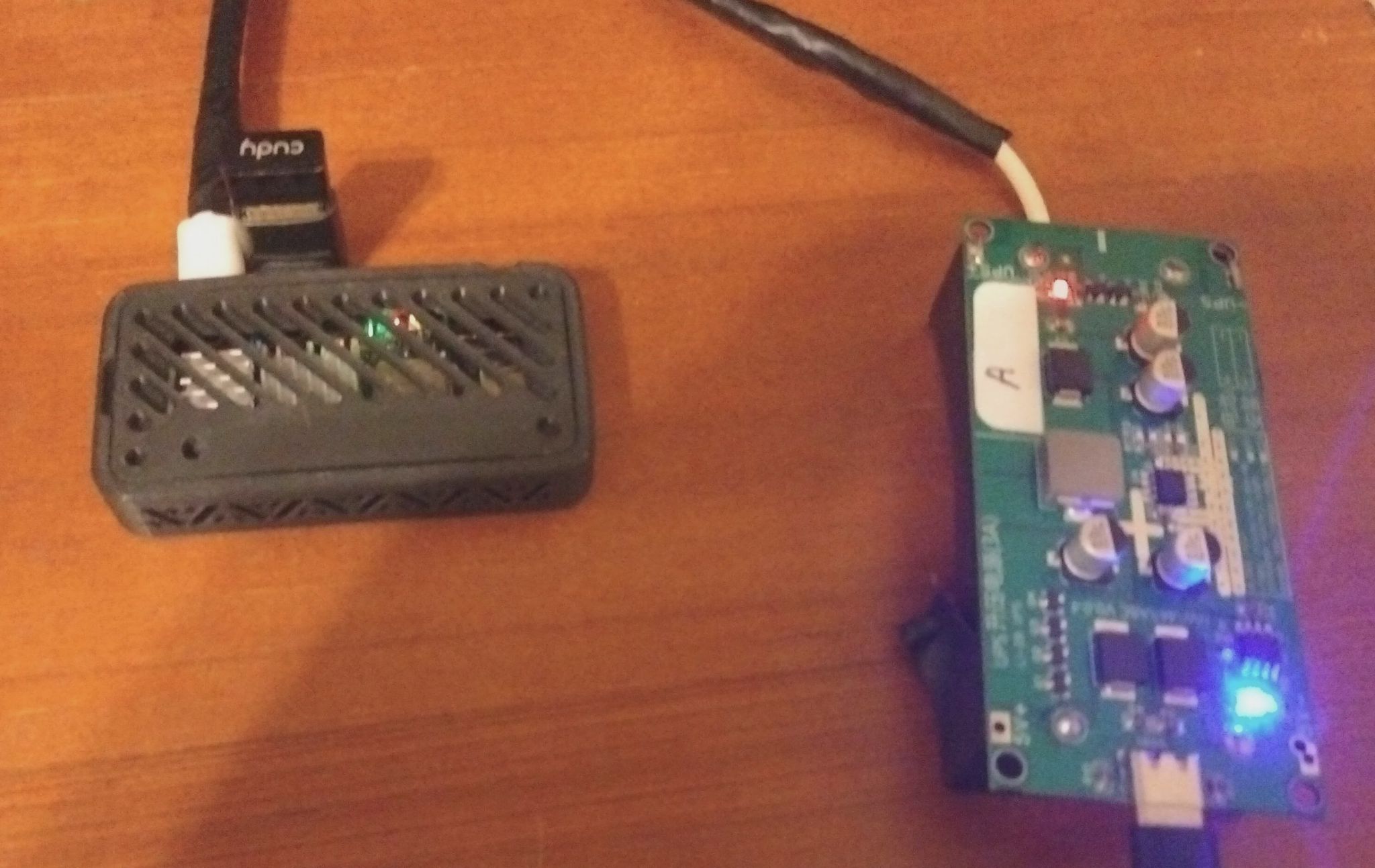
The travel server is shown with the, currently, bare 5V UPS board to its right. One day I hope to have a 3D printed case for both of those, but they’re currently separate as my 3D modeling skills are basically non-existent. The power cable is wrapped in aluminum foil and then wrapped in electrical tape due to EMI from the wifi adapter causing random glitches. A ferrite bead would probably solve that more elegantly, but I didn’t have any on hand so made due with what I have.
Hardware
- Banana Pi M4 Zero
- 1.5 GHz Quad Core ARM64
- 4 GB RAM
- 32 GB eMMC
- 1 TB Samsung PRO Plus SD Card (bought before prices went nuts)
- Li-2B UPS Board + 2x 3,000 mAh 18650 batteries
- USB-C to USB-A 90 degree angle adapter
- USB Nano Wifi adapter
Note: Unlike the Pi Zero, these have two USB ports. One is configured in host mode and the other in peripheral mode.
Features and Capabilities
- Multiple wifi clients can use this for network access
- Multiple “WAN” options
- Multiple VPN connections (OpenVPN, Wireguard, IPSEC) e.g.
- Privacy VPN for general internet traffic
- Wireguard to connect back to home network
- Ad-blocking via PiHole
- Locally-hosted web applications with valid hostnames and valid SSL certs (via Let’s Encrypt).
- SearxNG
- Jellyfin
- Pairdrop
- CodeServer
- Snapcast Server
- myMPD (MPD web UI)
- Kiwix (including full Wikipedia dump with images)
- NodeRED
- CalibreWeb
Travel Router / Access Point
For internet uplink, there are multiple options depending on need. By default, the internal/bulit-in wi-fi is the internet uplink and the USB wi-fi adapter is the client-facing AP interface. This is how I normally keep it configured in my use-cases.
Alternatively, the built-in wi-fi can be used as the client-facing AP and the uplink to the internet can be provided by a USB-tethered smartphone or a USB ethernet adapter or the internet uplink can be omitted entirely and either the USB or built-in wifi adapters can serve clients. Fortunately, the built-in wifi chip in the Banana Pi works well in AP mode but that’s not always the case (cough Orange Pi Zero W2 cough).
If a PC is connected to USB0 (the OTG port), the device will act as an ethernet gadget. The travel server will add its end of the usb0 interface into the LAN bridge along with the client-side AP. This means the connected PC will be on the same LAN as the wireless clients.
It’s also possible to add a USB ethernet adapter and bridge it into the LAN side as well.
Depending on configuration, a small USB-C hub may be needed. I’ve got one that includes a USB A port, ethernet port, and additional USB C port.
VPNs can also be configured as needed. I’ve got a privacy one that can route all traffic as well as a Wireguard one that connects back to my home LAN when I’m using it remotely.
DHCP and DNS are both provided by PiHole
Reverse Proxy
All applications hosted on the travel server are fronted by Nginx and use valid Let’s Encrypt certificates. This eliminates the need to install a custom CA cert in end devices or have the clients accept an untrusted self-signed cert.
This also ensures all applications are protected by TLS which is required for full functionality of some applications.
How does that work?
The hostname of the travel server (mobile) is a subdomain of my personal, project domain (mydomain.xyz). All applications are a subdomain of that (e.g. application.mobile.mydomain.xyz), and I simply request a wildcard cert from Let’s Encrypt for *.mobile.mydomain.xyz. Currently, Let’s Encrypt requires the use of DNS validation when requesting wildcard certificates.
Movies/TV
Movies and TV shows are provided by Jellyfin and are stored on the 1 TB SD card. I’ve tested 4 simultaneous streams, and the travel server didn’t even break a sweat. Granted, it’s not transcoding anything so I believe I’m mostly limited by USB, wifi, and/or SD card bandwidth in that regard.
For reliability, the Jellyfin database is stored on the internal 32 GB eMMC rather than the SD card. This both reduces wear and tear on the card as well as proves to be more reliable.
CPU transoding is a non-starter, and the GPU drivers for these boards isn’t exactly well supported. The GPU drivers also rely on V4L which Jellyfin has deprecated for hardware transcoding, so I opted to forego transcoding entirely.
To load movies/TV shows on here, I pre-process them with ffmpeg in the following way:
- Scale to 720p to reduce space
- Encode to H.264 in an MP4 container (including subtitles as
mov_textif available) in yuv420p pixel format to avoid the need for remuxing or transcoding - Map only the English audio and subtitle streams to further save space
Music
Music is provided by a combination of MPD and Snapcast and the library is also stored on the 1TB SD card.
MPD manages the music collection while Snapcast allows synchronized multi-room audio and connecting receivers via wifi.
For local playback, I use myMPD web UI and use its streaming feed or use the MPD and Snapcast clients on the end device. There’s also a Snapcast client installed on the travel server itself, so if you add a USB speaker it can playback music directly.
Books
It runs Calibre-Web to manage my book collection which is also stored on the 1 TB SD card.
Development
The travel server runs CodeServer which is an un-Microsofted web-based version of VSCode. You can set that up however you want, but I’ve got it setup for:
- React / NextJS development
- Python development
- ESP8266/ESP32 development with Platform.io
Other services it runs to facilitate development include:
- NodeJS and Bun
- Postgres (via Docker)
- Mosquitto MQTT
- Redis
- CouchDB
- NodeRED
Offline Knowledge
Kiwix is installed with a large selection of ZIMS for offline reference.
- DevDocs for React, Bun, NodeJS, ExpressJS, NextJS, etc. Pretty much every major libarary and framework I work with has offline docs
- Full text Wikipedia dump with images (approx 130GB)
Search
I installed SearxNG so I always have an ad-free, AI-free, no BS search engine available.
File Sharing
The travel server has a few different ways to share files:
- Samba (SMB) shared folder
- PairDrop for quick and easy one-to-one local sharing in the browser or phone app
- SSHFS (alternative method of accessing the SMB shares
Future Plans / Not Yet Implemented
- Add data passthrough to the UPS board so a host PC can charge the UPS/power the travel server while also enumerating it as a USB ethernet device. Currently the UPS board only passes power.
- Set up captive portal so Android (and probably Apple, too) devices don’t freak out if there’s no internet uplink. Currently requires an annoying “Stay connected to this network” and enabling airplane mode so that DNS will work over the wifi connection if there’s no internet uplink available.
- Make a web UI to manage services/configs. Currently, config changes require SSH-ing in and modifying the config directly. I do have preset configs for different “modes” but you still have to swap them around by hand.
- Design and 3D print a case that can hold the UPS board and the travel server itself while allowing the travel server to be “ejected” (basically I imagine it slotting into it from the outside and connecting to fixed USB and mini HDMI connectors embedded in the case).
#selfhosted
threaded - newest
Very very cool! Would love to see it all in the case once you design and print it.
This is insane.
Insanely cool!
Very very nice. Some good inspiration in this post, especially the mobile Jellyfin part.
Can I please stand behind you in the airport security queue, just to see what happens?
Ha, yeah, that UPS board isn’t going on any plane. I’d just use an approved power bank in that case.